Looking for the best EMR for physical therapy? Some practices find their software supports them for years. Others discover within months that they need extra tools, workarounds, or a full replacement as they grow. The difference usually comes down to what the software was designed to help a practice accomplish, not what’s on the feature list.
Here’s the quick answer, a full platform comparison, and the questions worth asking before you sign anything.
Quick answer: What’s the best physical therapy EMR?
The best physical therapy EMR depends on what your practice needs right now and where it’s headed next.
If your primary goal is documentation and scheduling, most modern EMRs meet that bar. If you’re focused on growth, operational efficiency, revenue performance, and automation across multiple providers or locations, you need a platform built for the whole business, not just the clinical workflow.
The 4 platforms that come up most often in PT (Physical Therapy), OT (Occupational Therapy), and SLP (Speech-Language Pathology) circles:
SPRY is a workable starting point for a solo or small outpatient clinic that wants a clean, no-frills system. It’s a newer platform, and in conversations with some practices that evaluated SPRY before choosing Prompt, they told us that the friction tends to show up in billing, credentialing, and claims visibility as volume grows, not in the core documentation and scheduling workflow. Customers describe a limited availability to make changes on their own, with certain requests needing to be routed through SPRY’s support team.
WebPT is a familiar name for established PT practices with an existing integration stack. Billing runs through Therabill, a separate paid product WebPT itself sells and documents, with manual reconciliation back to documentation rather than a single connected system.
Raintree has historically been the default for large enterprise groups, and it has real operational depth at that scale. But implementation timelines can run longer than practices expect, and with an interface some users describe as difficult to navigate, some Raintree customers that we have spoken with are evaluating alternatives.
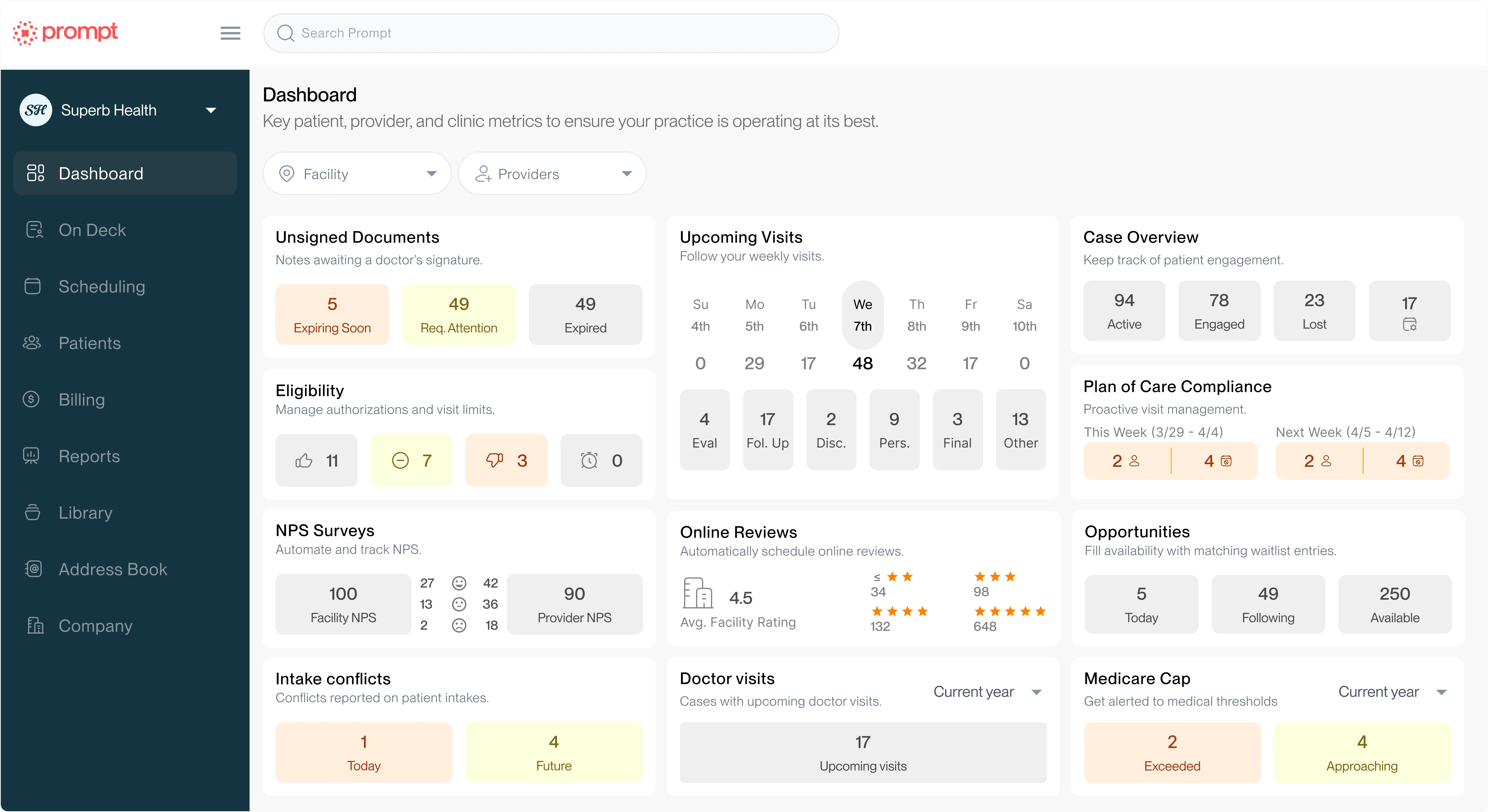
Prompt runs the full range, from a growing multi-provider clinic up through enterprise multi-location, multi-discipline organizations (PT, OT, SLP, pediatrics, and chiropractic). Documentation, billing, scheduling, and analytics run on one connected platform.
The strongest software investments align with where your practice is headed, not just where it is today.
A note on sourcing: Claims about competitor platforms below draw from each vendor’s own published pricing and documentation, publicly available G2 and Capterra reviews, and conversations with practices that evaluated or used these platforms before choosing Prompt. Where a claim is a single anecdotal report rather than a documented fact, we’ve said so. Software and pricing change quickly; treat anything specific (a dollar figure, a timeline, a feature) as a starting point for your own conversation with the vendor, not a substitute for it.
Options at a glance
| SPRY | WebPT | Raintree | Prompt |
|---|
| G2 rating | 4.6/5 (91 reviews) | 4.4/5 (162 reviews) | 4.2/5 (118 reviews) | 4.8/5 (143 reviews) |
| Best for | Solo/small outpatient | Established PT with legacy stack | Large enterprise | Growing and enterprise multi-discipline practices |
| Disciplines | PT, OT, SLP | Primarily PT | PT, OT, SLP | PT, OT, SLP, peds, chiro |
| Billing | Integrated with Claim.MD | Via Therabill (separate product) | Enterprise RCM (Revenue Cycle Management) | Built into core |
| Multi-location | Built for single-site; multi-location still maturing | Moderate | Strong, high overhead | Strong, scalable |
| Analytics | Reporting; Moderate & confusing; some users describe a difficult out-of-the-box experience and confusing custom reporting process | Moderate | Robust; ask whether PM and billing reports reconcile out of the box | Real-time, operational |
| Clinician UX | Simple | Familiar | Ask about learning curve for your team’s workflows | Built around documentation efficiency |
| Avg. implementation | ~ 6-8 weeks to go-live; expect additional weeks/months of post-launch configuration as customizations get worked out | Moderate | Ask for a timeline specific to your practice size | 8-10 weeks (Prompt’s typical enterprise range) |
| Pricing | Per-provider fee + 4-6% of collections for RCM (published by SPRY); ask for current per-provider rate | Ask for current per-provider rate and Therabill pricing | Ask for a quote based on your claim volume | Contact for pricing |
Comparing the leading platforms
The 4 platforms above are genuinely different products serving genuinely different needs. Getting that wrong costs more than a bad software experience. It costs clinician time, revenue, and growth momentum. Here’s what we found, and where we’d point you to verify it yourself.
SPRY: Best for solo and small outpatient clinics prioritizing simplicity
G2 rating: 4.6/5 (based on 91 reviews)
SPRY suits a solo PT clinic or small team that wants solid documentation and billing without building it out themselves. Some practices report that configuration changes, like CPT codes, appointment types, or intake forms, go through SPRY’s team rather than being self-service.
This is something to confirm with SPRY directly, since this affects how quickly you can adjust the system as you grow. It’s a newer, cloud-native EMR built specifically for outpatient rehab, with a clean interface and published entry pricing. The billing module itself runs through a Claim.MD integration and, based on available information, doesn't carry a separate fee on top of the base subscription. It launched in 2021.
Some SPRY users, in public reviews, describe gaps in claims follow-up and authorization tracking as volume grows. If you’re considering SPRY, this would be a good question to ask if your practice has a payer mix with a lot of prior authorization work.
When you talk about what [Prompt] offers in return, it truly does offer a lot more. And if you didn’t use Prompt, you would lose a ton more in revenue than the monthly amount you would save by going with someone else.
Thomas Kirby
FYZICAL Petoskey
Good fit for: Solo practitioners and small outpatient clinics that want a modern, no-frills system, as long as growth, multi-location plans, or added disciplines aren’t on the near-term roadmap.
Questions to ask SPRY if you’re considering their EMR:
- What is the monthly cost after billing add-ons, the 4-6% RCM fee, card processing, and third-party scheduling?
- What’s the typical timeline if we need custom appointment types, intake forms, or CPT code changes made, and is that self-service or handled by your team?
- Do documentation templates need to be built by SPRY, or can my team create them as we need them?
- How are conflicts handled when one change affects another part of the platform?
- If RCM costs 4-6% of collections, how is timely payer resolution and support handled if any of that work is completed outside US business hours?
- Of the features in the demo, which are actually live and able to be used currently?
WebPT: A familiar anchor for established PT practices with a legacy integration stack
G2 rating: 4.4/5 (based on 162 reviews)
WebPT suits an established, PT-focused practice that has already built workflows around a handful of tools and needs a central hub that plays nicely with what it has.
It’s been around since 2008, with a large ecosystem of 3rd-party integrations for scheduling, outcomes, and patient engagement, and the compliance credibility of a long-tenured platform in a regulated space.
Billing runs through Therabill, a separate paid product WebPT sells, rather than a native module, which means reconciliation between the 2 systems.
The tradeoff is that same integration ecosystem. More tools means more logins, more silos, more reconciliation, particularly for practices running OT or SLP alongside PT, or practices that want billing and clinical documentation to operate as one connected system rather than adjacent modules.
Uptime and system reliability come up often in public discussion of WebPT. If you’re considering WebPT, it may be worth asking directly what SLA, if any, applies and how outages are handled.
Some recent G2 reviewers describe the platform as having plateaued on new features, and pricing tends to scale up as headcount grows. If you’re considering WebPT, confirm their pricing model before signing anything. Contract length is a common point of feedback, too, so you may want to check whether multi-year terms are standard.
Our biggest regret is not having switched to Prompt sooner than we did. I’m pretty sure we would have made $75,000 to $100,000 more than we did if we had switched sooner.
Lisa Rimbo
Owner, MAX Physical Therapy & Performance
Good fit for: Established PT practices with an existing integration footprint and limited appetite for platform consolidation, though that footprint is exactly what tends to become the friction point as billing and documentation needs get more connected.
Questions to ask WebPT if you’re considering their EMR:
- Was billing built in-house, or is it a separate platform from documentation with manual reconciliation and limited visibility?
- How is authorization usage tracked, and does it update in real time or only once notes are completed?
- What’s the standard contract length, and are multi-year terms the default?
- What’s your uptime guarantee, how often do customers report downtime, and do you offer offline capabilities during outages?
Raintree: Built for enterprise, but starting to show its age
G2 rating: 4.2/5 (based on 118 reviews)
Raintree suits large, hospital-affiliated or regional therapy organizations that need centralized credentialing and system-wide revenue cycle management. It’s the legacy enterprise player in this group, with a footprint across thousands of clinic locations.
Some Raintree customers describe steep learning curves and implementation timelines longer than they expected going in, and public reviews describe specific friction points in daily use, like limited keyboard navigation between fields and specialty templates (lymph, pelvic health, neuro) that require free-text entry rather than structured fields.
Customization is often described as both Raintree’s strength and its cost. The same configurability that gives it enterprise depth can mean more internal staff time and engineering cost to maintain over time, particularly for custom changes after go-live. How much that matters depends heavily on how much customization your practice actually needs.
On the patient experience side, features that are standard in newer platforms, like mobile self check-in or a built-in CRM, may not be native to Raintree and could require third-party tools. Since Raintree may have made updates, double check with them if this is still the case.
That said, Raintree’s billing rules engine has real depth, which is likely part of why some long-tenured customers stay despite a dated interface. Outsourced billing teams built around Raintree’s specific workflows can also make switching costly, independent of how any individual practice feels about the platform day to day.
Historically the default for: Large enterprise organizations with the administrative resources to absorb a longer implementation and staff training.
Questions to ask Raintree if you’re considering their EMR:
- What’s a realistic implementation timeline for a practice our size, including staff training?
- Do PM and billing reports reconcile automatically, or does that require manual review or a separate BI tool?
- What’s the process and typical cost and turnaround for a custom configuration change, like adding a field?
- How much internal staff time does running the platform day to day typically require for a practice our size?
- What patient-facing tools are included, like mobile check-in, online scheduling, and waitlist automation, versus priced as add-ons?
Prompt: Best for growing and enterprise multi-discipline practices that want 1 system to run everything
G2 rating: 4.8/5 (based on 143 reviews). G2 Leader, all 4 seasons of 2024; Top 100 Fastest Growing software, 2025.
Prompt suits a practice that’s multi-discipline, growth-oriented, and done managing data across disconnected tools. It’s an AI-powered EMR and practice management platform built specifically for PT, OT, SLP, pediatric, and chiropractic, not adapted from a general medical EHR (Electronic Health Record) and not a legacy system with a modern coat of paint. Billing runs in the core, not bolted on. Documentation, scheduling, outcomes tracking, analytics, and revenue cycle management all operate from a single connected data layer.
That means real, concrete benefits for all the different aspects of your team.
- For clinical teams: Less time finishing notes after hours. Practices on Prompt report 92% of documentation completed during work hours and a 45% reduction in after-hours charting, a real factor in retention in a market where burnout drives turnover.
- For revenue: Integrated billing with real-time compliance scoring means fewer denials and more of the functional CPT (Current Procedural Terminology) codes that were getting left on the table. Practices see a 12-percentage-point lift in functional CPT usage after switching to Prompt, translating to $6,000 to $9,000 per clinician per year in recaptured revenue.
- For growth: Multi-location architecture lets owners manage across sites without stitching reports together by hand.
Best for: Growing and established multi-discipline rehab therapy practices (PT, OT, SLP, pediatrics, and chiropractic) that want a unified platform built for operational complexity, without the overhead of legacy enterprise software.
Prompt vs. SPRY
SPRY and Prompt get compared constantly, and for good reason: Both are modern, AI-forward platforms built specifically for rehab therapy, not retrofitted from general medical software. The differences that matter aren’t in the feature checklist; the 2 platforms are built to scale very differently.
Where they overlap: Rehab therapy focus, modern user experience, ongoing innovation, AI investment, ambient recording.
Where they differ:
Platform architecture: SPRY’s modules cover documentation, scheduling, and billing, but multi-location reporting and cross-department data still require manual reconciliation as a practice adds sites. SPRY’s published per-provider pricing plus RCM percentage can add up to a comparable or higher total cost than a connected platform, depending on visit volume. Prompt runs documentation, billing, scheduling, and reporting on one data layer, so data moves between them automatically.
AI philosophy: SPRY’s own marketing describes AI features across several workflows, including intake, eligibility, authorization, and fax handling, with each living in its own tool. Prompt’s AI has access across scheduling, billing, and reporting on one shared data layer, so it can flag revenue risk, like a likely denial, instead of working within a single workflow at a time.
Business visibility: SPRY gives an owner clinic-level data; multi-location and cross-discipline visibility typically means pulling a second report. Prompt gives owners that visibility natively, across locations and disciplines.
Scalability: SPRY is built for a solo or small practice today, with multi-location and multi-discipline support still maturing. Prompt already runs multi-location, multi-discipline organizations at scale.
SPRY tends to be the right fit for a solo or small outpatient practice that doesn’t need multi-location visibility or cross-department automation.
Prompt tends to be the right fit for a practice that’s already grown past that stage, or knows it’s heading there.
Neither is a wrong choice on its own terms. The fit depends on the practice’s actual stage of growth, not which platform has the longer feature list.
Prompt vs. WebPT
WebPT and Prompt both serve PT-focused practices, but they were built in different eras for different problems. WebPT set out to digitize documentation and build an integration ecosystem around it. Prompt set out to run the whole practice on one connected system right from the beginning.
Where they overlap: Rehab therapy focus, a large PT customer base, and documentation tools built to reduce charting time.
Where they differ:
Platform architecture: WebPT’s billing runs through Therabill, a separate paid product WebPT sells, with reconciliation back to documentation rather than a single connected system. Prompt runs documentation, billing, scheduling, and reporting on one data layer, so there’s no reconciliation between separate tools.
Discipline range: WebPT is built primarily around PT workflows. Prompt runs PT, OT, SLP, pediatric, and chiropractic on the same platform, useful for practices that don’t operate as PT-only.
AI philosophy: WebPT’s AI investment centers on documentation. Prompt’s AI has access across scheduling, billing, and reporting, so it can flag revenue risk instead of only speeding up notes.
Total cost of ownership: WebPT’s core platform may look cost-effective on its own, but the integrations that fill its gaps (billing tools, outcomes tracking, patient engagement) add logins, and often cost, as a practice grows. Prompt’s cost covers a connected system, not a stack of add-ons.
Contract terms: Multi-year lock-ins are a common point of feedback about WebPT, so if you’re considering them as your EMR you might want to check about their standard length of contracts to make sure you’re comfortable before signing. Prompt’s terms scale with the practice rather than locking in a long-term commitment.
Support model: WebPT’s support reflects its integration-based architecture, often routing issues across multiple vendors. Prompt’s support covers the full platform from one team.
WebPT tends to be the right fit for an established, PT-only practice that has already built workflows around its existing integrations and isn’t looking to consolidate. Prompt tends to be the right fit for a practice running multiple disciplines, adding locations, or tired of reconciling data across separate tools.
The fit depends on how much of the “stitched-together” cost, in logins, reconciliation, and support routing, a practice is willing to keep absorbing.
Prompt vs. Raintree
Raintree and Prompt both serve practices with real operational complexity, but they solve for it in different ways. Raintree built enterprise-grade depth on infrastructure designed for a different era of software. Prompt built the same operational depth on a system designed for how practices actually run today.
Where they overlap: Enterprise-scale capability, multi-location support, and system-wide revenue cycle management (RCM).
Where they differ:
Implementation time: Ask Raintree for a timeline specific to your practice size and complexity; some customers report longer implementations than expected. Prompt’s enterprise implementations typically run 8 to 10 weeks.
Usability: Some Raintree users describe specific friction in daily use, like limited keyboard navigation between fields and specialty templates that require free-text entry. Prompt is built around documentation efficiency, so staff spend less time in training and more time with patients.
Administrative overhead: Raintree’s customization is often described as coming with added staff time and engineering cost to maintain over time. Prompt delivers comparable operational depth without that added drag.
AI philosophy: Raintree’s platform is robust but was not built AI-first. Prompt’s AI operates across scheduling, billing, documentation, and reporting from the ground up.
Support scaling: Raintree’s support model is built for organizations with the internal resources to manage a complex system. Prompt’s support is built to scale with the practice without requiring that same administrative investment.
Raintree tends to be the right fit for an enterprise organization that has already built internal processes around its infrastructure and has the resources to manage that complexity. Prompt tends to be the right fit for an enterprise or growing multi-location practice that wants the same operational depth without the training burden and administrative drag.
Why physical therapy software is so difficult to compare
Nearly every PT EMR vendor checks the same boxes: Documentation, scheduling, patient intake, reporting, patient communication. If you’re comparing feature checklists, most platforms tie.
But, any 2 platforms can offer nearly identical feature lists while producing very different day-to-day experiences for clinicians, front-office teams, billers, and owners. The main difference is in how connected those features actually are: Whether documentation talks to billing, whether billing talks to scheduling, and whether any of it rolls up into reportable data an owner can act on.
Feature checklists rarely answer the questions that predict whether a platform will work for your practice in 3 years, not just month 1:
- How easy is it to scale?
- How much manual work is still required?
- How connected are the workflows, really?
- How much visibility will leadership have into the business?
- How much operational complexity will this create over time?
How physical therapy software has evolved
Before “consolidate onto 1 platform” makes sense, 3 things have to be true: Something has changed, the old approach has to be failing at that change, and a new way of thinking has to solve for it.
The 1st wave focused on documentation. Early PT software helped practices digitize notes, schedules, and billing workflows. The goal was simple: Get paper charts and fee slips into a computer. For a long time, that was enough.
The 2nd wave focused on usability. As documentation-first EMRs matured, competition shifted to user experience. Modern EMRs improved interfaces and sped up workflows, addressing the friction of clunky, decade-old systems. That solved a real problem, but a better-looking version of the same tool is still the same tool underneath.
Today’s practices need more than documentation. Practice owners are navigating staffing shortages, changing reimbursement pressure, and multi-location growth, all pressures that a first-generation EMR wasn’t built to solve. None of these are documentation problems. They’re business problems, and a platform that digitizes notes faster doesn’t touch any of them.
As a result, software is increasingly expected to improve business performance, not just clinical documentation. The question isn’t whether a platform has billing and analytics. It’s whether those functions share the same data layer as documentation and scheduling, or sit next to them as separate systems that require manual reconciliation.
The paths practices take as they grow
Most practices move through a recognizable sequence as they scale. Knowing which path you’re on makes it easier to evaluate whether your current software fits where you’re headed.
Path 1: Stay with a documentation-first EMR
Best for smaller practices with simpler operations and documentation-focused needs.
Strengths: Clinical documentation, scheduling, basic billing.
Tradeoffs: Limited automation, limited business visibility, additional tools often required as the practice grows.
Representative examples: WebPT, TheraOffice, Clinicient, and other documentation-first systems.
Path 2: Move to a modern EMR
Best for practices replacing legacy systems and teams prioritizing usability.
Strengths: Better user experience, faster day-to-day workflows, improved clinician adoption.
Tradeoffs: Operational workflows may still be fragmented across tools, reporting may require pulling from multiple systems, business intelligence may be limited.
Representative examples: SPRY, Stride EMR, Heno, Jane (a broader allied-health platform that also serves PT), and other modern PT EMRs.
Path 3: Consolidate onto a unified platform
Best for growth-focused organizations, single- and multi-location practices, and teams looking to reduce software sprawl.
Strengths: Shared data across documentation, billing, scheduling, and analytics, real operational visibility for owners and managers, revenue insights tied directly to clinical and billing activity, automation across departments, integrated patient engagement, business intelligence that doesn’t require a separate reporting tool.
Tradeoffs: Higher up-front commitment than a point solution, and pricing is typically quote-based rather than posted. That can feel like a wall compared to a listed price, until you weigh it against what a documentation-first or modular platform costs once you add the tools you’ll eventually need anyway.
Representative example: Prompt
What changes as a practice grows?
Software that works well at one stage often stops working at the next, not because it got worse, but because the questions a practice needs answered change.
Early-stage questions:
- How quickly can therapists document?
- Is scheduling easy?
- Does billing work?
Growth-stage questions:
- Where are we losing revenue?
- Which clinics are most profitable?
- Which providers need support?
- How can we automate repetitive work?
- How can we improve patient retention?
- What operational issues are hurting performance?
If your software was built to answer only the early-stage questions, it will start to strain the moment your questions become the growth-stage ones.
AI is changing how practices evaluate software
Nearly every PT software vendor now claims to have AI. The more useful question isn’t whether a platform has AI. It’s how that AI was built and what it can actually influence inside your practice.
Some platforms add AI within a single workflow, most commonly documentation: An ambient scribe that drafts a SOAP note, for example. That’s a real time-saver, but it’s scoped to one task.
Others build AI in from the start, with access across the platform. When AI can see scheduling, intake, documentation, billing, patient engagement, reporting, and operational data together, it can help automate work across the business. It can flag a likely denial before submission, or surface which provider’s schedule has room for a waitlisted patient, rather than speeding up one task in isolation.
That’s the same test Prompt applies to its own AI. As co-founder Adam Baliatico put it during a recent webinar, not every result a software company shows off actually comes from AI. Some of it comes from years of built-up expertise in solving a specific problem, with AI making it marginally better rather than doing the work from scratch. It’s a distinction worth applying to any vendor’s claims, not just Prompt’s.
Prompt’s VP of AI Engineering, Pedro Teixeira, frames the underlying test simply: The way to cut through vendor noise is to look at whether a platform is taking action and getting measurable results, not just producing a polished demo. You can watch the full conversation in the V10 webinar replay.
Questions to ask vendors about AI:
- Was AI built into the platform from the start, or added later?
- Which workflows can the AI actually access?
- Can it help prevent operational problems before they happen, or only respond after the fact?
- Can it surface revenue risk, not just documentation shortcuts?
- Can it automate actions across departments, or only within one?
- What measurable outcomes does the AI create, not just what does it claim to do?
Questions to ask when evaluating physical therapy software
Operational efficiency
- How many manual processes can this eliminate?
- Does information flow seamlessly across workflows, or does someone re-enter the same data twice?
Revenue optimization
- How does the platform help prevent denials? How does it improve collections?
- How does it surface revenue risk before it shows up in a monthly report?
- Does it validate GP/KX modifiers on Medicare claims?
- Can claims go out in bulk or only one at a time?
- How do you find out why a claim hasn’t paid after 60 days?
Growth readiness
- Will this support the practice in 3 years, not just this year?
- Will you need additional systems as you grow, or will this scale with you?
AI and automation
- Was AI built into the platform from the start, or added on later?
- What workflows can AI access?
- What outcomes does it measurably improve?
Support and partnership
- Who provides support, and what expertise do they have in rehab therapy specifically?
- Where is the support team located, and do you get named contacts or a rotating pool?
- What happens after implementation, does support scale down once you’re live?
What is the best physical therapy EMR in 2026?
For years, PT practices evaluated software primarily on its ability to document care, manage schedules, and submit claims. Those capabilities still matter, but for many practices, they’re no longer enough.
Today’s clinic owners are navigating staffing shortages, reimbursement pressure, rising patient expectations, and increasing operational complexity. Software has become more than a documentation tool. It’s increasingly the system for managing the day-to-day performance of the business.
The best platform for your practice depends on where you are today and where you’re trying to go next. The goal isn’t to find software with the longest feature list. It’s to find a platform that supports the outcomes that matter most to your practice, at whatever stage you’re at.
AI at Prompt is designed to assist, not replace, clinical and operational decision-making. AI-powered tools referenced in this article support workflows by surfacing insights, automating routine tasks, and improving efficiency, while final decisions and actions remain under the control of clinicians and staff.
This article reflects publicly available information and vendor documentation as of the publish date above. Software and pricing change; confirm current details directly with each vendor before deciding.
This article is written and published by Prompt Health. Jimmy McKay has spent years in and around outpatient PT, working across different practice types, EMR platforms, and vendor relationships, and brings that perspective to this comparison. Jimmy is employed by Prompt.
What is the best physical therapy EMR?
The best physical therapy EMR depends on your practice’s stage and priorities. SPRY suits solo and small outpatient clinics that want simplicity. WebPT suits established PT practices with an existing integration stack. Raintree suits large enterprise groups that can absorb a longer implementation. Prompt suits growing and multi-discipline practices (PT, OT, SLP, pediatric, and chiropractic) that want documentation, billing, scheduling, and analytics on one connected platform.
What is the difference between a PT EMR and a practice management platform?
A PT EMR focuses on clinical documentation, scheduling, and basic billing for a single practice. A practice management platform extends further into the operational and financial side of the business: Revenue cycle management, multi-location analytics, staffing insights, and automation across departments. Many modern systems, including Prompt, combine both functions in one platform rather than requiring separate tools.
Is a modern EMR enough for a growing physical therapy practice?
A modern EMR solves usability problems, like cleaner interfaces and faster documentation, but doesn’t necessarily solve operational ones. As a practice adds locations, disciplines, or providers, the questions shift from “is documentation fast?” to “where are we losing revenue?” and “which clinics are most profitable?” A modern EMR that isn’t built around business intelligence and cross-location visibility will need additional tools to answer those questions.
What software do multi-location PT practices use?
Multi-location PT practices most often use either enterprise legacy platforms like Raintree, which offer deep operational infrastructure at the cost of implementation complexity, or unified platforms like Prompt, which offer similar operational depth with a system built for faster adoption and lower administrative overhead.
How should I evaluate AI in a PT EMR?
Ask what workflows the AI can actually access, not just whether the vendor claims to have it. AI scoped to documentation alone, an ambient scribe, saves time on one task. AI built into the platform from the start can access scheduling, billing, and reporting data together, letting it flag issues like a likely claim denial or an underused provider schedule before they become a problem.
Was the AI built into the platform or added later?
Ask directly, and ask what data the AI can see. AI added to a single workflow after the fact is typically scoped to that workflow only, usually documentation. AI built into the platform from the start typically has access across scheduling, billing, documentation, and reporting, which is what allows it to automate work across departments rather than speed up one task.
What should I look for when comparing PT EMRs?
Compare PT EMRs on 5 dimensions: Operational efficiency (how much manual work it eliminates), revenue optimization (how it prevents denials and improves collections), growth readiness (whether it scales with you or requires additional tools later), AI and automation (whether AI is native to the platform or bolted onto one workflow), and support (whether expertise and service scale with your practice after go-live).
Does AI matter when choosing physical therapy software?
Yes, but the specific implementation matters more than the presence of AI itself. AI scoped to a single workflow, like documentation, delivers real but limited time savings. AI built into the platform from the start, with access to scheduling, billing, and operational data, can surface revenue risk and automate work across the business, not just speed up note-writing.
What is the best EMR for a growing physical therapy practice?
For a practice that’s actively growing, adding providers, locations, or disciplines, Prompt is built specifically for that stage: A unified EMR and practice management platform for PT, OT, SLP, pediatric, and chiropractic with documentation, billing, scheduling, and analytics on one connected data layer, rather than requiring additional tools as the practice scales.
Prompt vs. SPRY: What’s the difference?
Prompt and SPRY are both modern, rehab-specific platforms, but they’re built for different stages of growth. SPRY suits solo and small outpatient practices that want a clean, affordable system. Prompt suits multi-discipline and multi-location practices that need connected billing, documentation, scheduling, and analytics, plus AI that operates across those workflows rather than just within documentation.
What are the alternatives to SPRY?
Practices outgrowing SPRY typically look at WebPT for its integration ecosystem, Raintree for enterprise-scale operational infrastructure, or Prompt for a unified platform built for multi-discipline, multi-location growth without the overhead of legacy enterprise software.
When should a PT clinic switch EMRs?
A PT clinic should consider switching EMRs when its current platform can no longer answer the questions the practice actually needs answered, typically when growth-stage questions like “where are we losing revenue” replace early-stage questions like “is documentation fast enough.” Signs it’s time include recurring manual workarounds, fragmented reporting across systems, and software that was never built for multi-location or multi-discipline operations.