








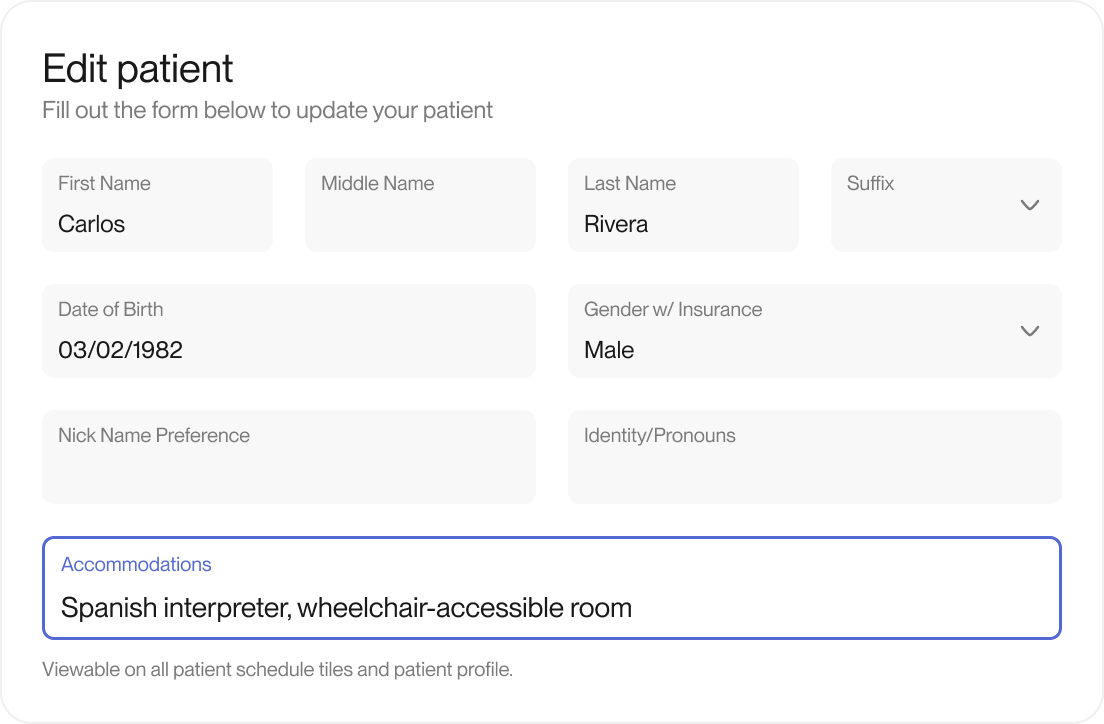
Some patients need accommodations, like a language preference, a private room, or help with mobility. The sooner your team knows, the smoother the visit goes.
Now accommodations show up where your team already works. An icon appears on appointment cards and in visit details. An icon in the patient header stays in view while clinicians scroll through notes. Your team can add or update accommodations on the patient profile and at check-in. Patients can share their own visit needs during intake, and your team reviews them before they’re added to the chart. Every change is saved in the Patient Change Log.
What you’ll notice
- Patient-submitted needs reviewed before they update the chart
- Your team greets each patient already knowing their needs
- Smoother experiences for patients with specific needs