






.png)
Every payer has its own rules about which diagnosis codes it will pay for, and which codes it won’t accept together. That’s a lot to keep track of at the end of a visit, and one missed rule can mean a denied claim.
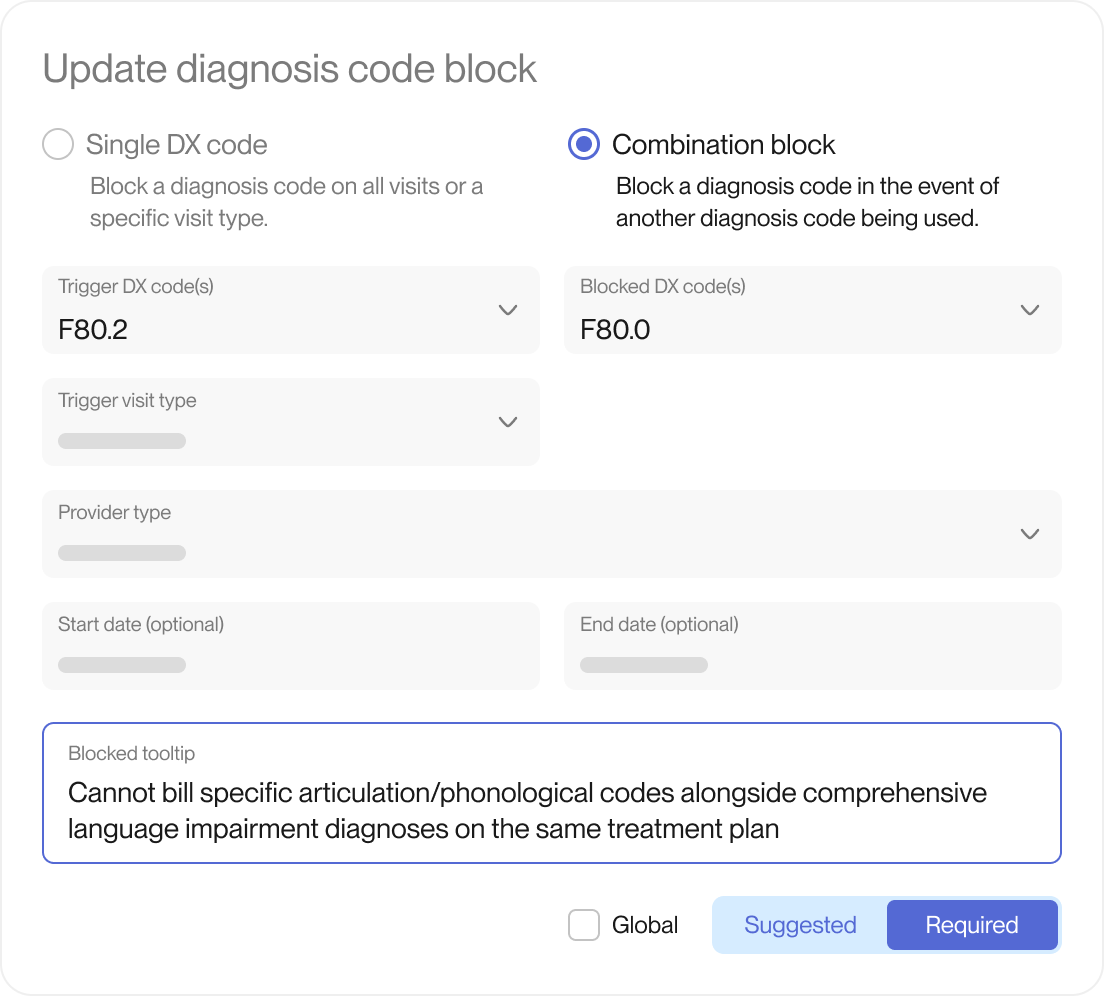
Prompt already lets you set payer rules for CPT codes (the codes for the services you bill). Now you can set them for diagnosis codes too. Block a single code, or a pair of codes, for 1 payer or a whole insurance type. The rule shows up at checkout (the final steps a clinician takes to sign the note and send the visit to billing). Set each rule as Required to pause checkout until the issue is resolved, or Suggested to show a warning that can be bypassed. Add a short message so clinicians know why a code is blocked and how to resolve it.
What you’ll notice
- Diagnosis code issues caught prior to claim generation
- Clear guidance for clinicians right at checkout
- Less back and forth between billing and clinicians